I’ve lost count of how many times I’ve sat down with a founder who has a brilliant piece of software but a store page that reads like a dry instruction manual. In my years running operations here at Kurve, I’ve seen the same pattern: people get so deep into the development phase that they forget the person at the other end. They’re usually on a train, maybe grabbing a coffee near London Bridge, and they have very little patience for jargon.
The way you present your product is the final hurdle. You can get everything else right, but if the text doesn't land, you’re just leaving money on the table. In this guide, I’m going to explain how we actually handle this for our clients to ensure the traffic we drive actually turns into users.
Table of Contents
- Stop Writing for Robots
- What Users Actually Look at
- Start With the Why, Not the How
- Is Your App All About the Solution?
- The Play Store Logic
- Mastering Store Optimization
- The Apple App Way
- Description Guidelines to Live by
- The Rough Order of Writing
- How to Write an App Description
- FAQ
Stop Writing for Robots
There’s a massive misconception that you should write your listing just to satisfy an algorithm. While we care deeply about how does app store optimisation work, the algorithm doesn't hit the "get" button—a human does.
The importance of a narrative cannot be ignored. I’ve seen positive shifts in conversion rates just by making the tone more relatable. You have to capture the user's attention within the first two sentences. If you lead with technical specs, you’ve already lost them. You need a hook that grabs them by addressing their problem before you even mention your features.
I often think of it like this: if you were explaining your product to a friend in a pub, you wouldn't use corporate buzzwords. You'd tell them how it makes their life easier. That is the energy you need to bring to your page.
What Users Actually Look at
Before anyone reads your app description, they’ve already performed a quick mental scan. I’ve spent years looking at ASO case studies to see what people actually prioritize. It’s almost never the long text first.
People generally scan these things in a split second:
- Ratings: The star count is your first impression.
- Reviews: People want to see what others are complaining about.
- App screenshots: They want to see the design in action.
- Functionality: Does it actually do what I need right now?
- Update History: Is this being maintained?
- Price: Are there hidden in-purchase costs?
When you sort your observations during your research phase, you’ll realize that your text has to support these visuals. It shouldn't just repeat what the screenshots show; it should provide the context that the visuals can't.
Start With the Why, Not the How
When you start your draft, don't focus on the "how." Users don't care about your back-end architecture. They care about their own problems.
If you want to learn how to move the needle, you have to lead with the value proposition. We recently worked on a project involving custom app development solutions where the client wanted to talk about their AI engine. I told them to talk about the 10 hours a week the user saves instead.
Focusing on the benefit is the most important shift you can make. Tell them how their life changes after the download is finished. Whether they are looking for educational tools for students or trying to manage a budget, the "after" is what sells the product.
Is Your App All About the Solution?
Is your app all about the user, or is it about you? It sounds harsh, but users are inherently selfish. They want to know "what's in it for me?"
Your app is a tool, nothing more. If you treat it like a precious piece of art in your marketing, you’ll struggle. I’ve seen so many apps fail because they were too "proud" of their tech to simplify their message.
To make your product a success, you need to explain the transformation. Use a bulleted list to break down the 3-5 key ways you help them. Don't go overboard; no one is going to read 20 bullet points on a four-inch screen. Keep it punchy and focused on the results.
The Play Store Logic
The play store is an interesting environment because it actually functions like a search engine. Google’s algorithm reads your text to decide where to rank you. This makes Mastering the Google Play Store Algorithm a bit of a balancing act.
You have to weave in keywords naturally. If you just stuff them in, it reads like garbage. I’ve found that focusing on app store keyword search volume is vital, but you should only use terms that actually reflect what the product does.
Your short version (the 80-character blurb) is essentially your "meta description" for mobile. It needs to be the strongest sentence you’ve ever written. It’s the gatekeeper for the rest of your content.
Mastering Store Optimization
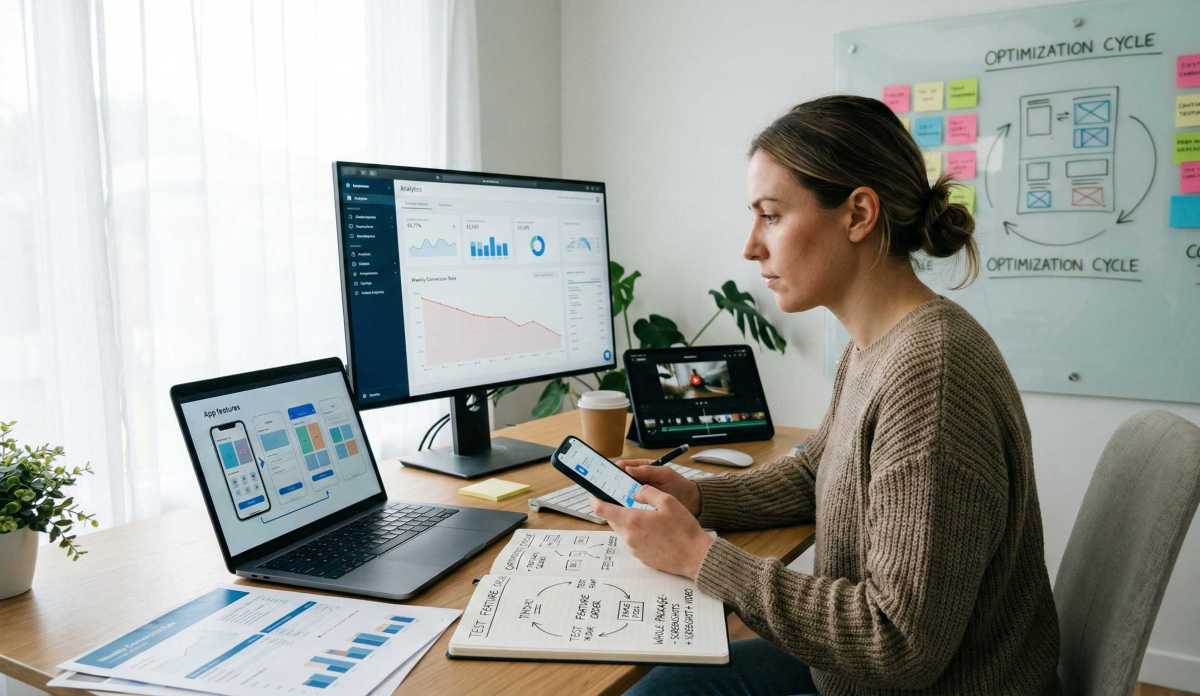
We often talk about store optimization as a one-time event, but in operations, we know it's a cycle. You should be constantly testing. This is the heart of what we do at Kurve.
I’ve seen positive growth spikes from something as simple as changing the order of the features. You should be looking at your mobile app metrics every week. If your conversion rate is dipping, your store description might be the culprit.
Optimization isn't just about text; it’s about the whole package. This includes your app screenshots and your promo video. If the text says "Fast and Easy" but the video looks clunky, you’ve lost your credibility with users.
The Apple App Way
The apple app ecosystem is a different beast. Apple doesn't crawl your long text for keywords in the same way Google does. This gives you more room to be creative and focus on the brand voice.
The app store prioritizes the user experience above all else. This is where your brand strategy really needs to shine. Think of it like a high-end storefront on Bond Street. It needs to look clean, professional, and trustworthy.
The most important part of your iOS listing is the "above the fold" text—the first few lines before the "more" button. If that doesn't work, the rest of the text might as well not exist. If you need a boost, our iOS marketing guide has some great tactics for faster growth.
Description Guidelines to Live by
There are certain description guidelines you simply cannot ignore. Both stores are incredibly pedantic about their rules, and I’ve seen many launches delayed because of a single misplaced link.
Common things that will get you in trouble:
- Mentioning prices or specific discounts in the static text.
- Linking to external websites that don't belong in the store.
- Making claims like "#1 in the world" without third-party proof.
- Using vulgar or offensive language to be "edgy."
We always recommend following a solid ASO checklist before you hit that submit button. It’s a small step that prevents a massive headache.
The Rough Order of Writing
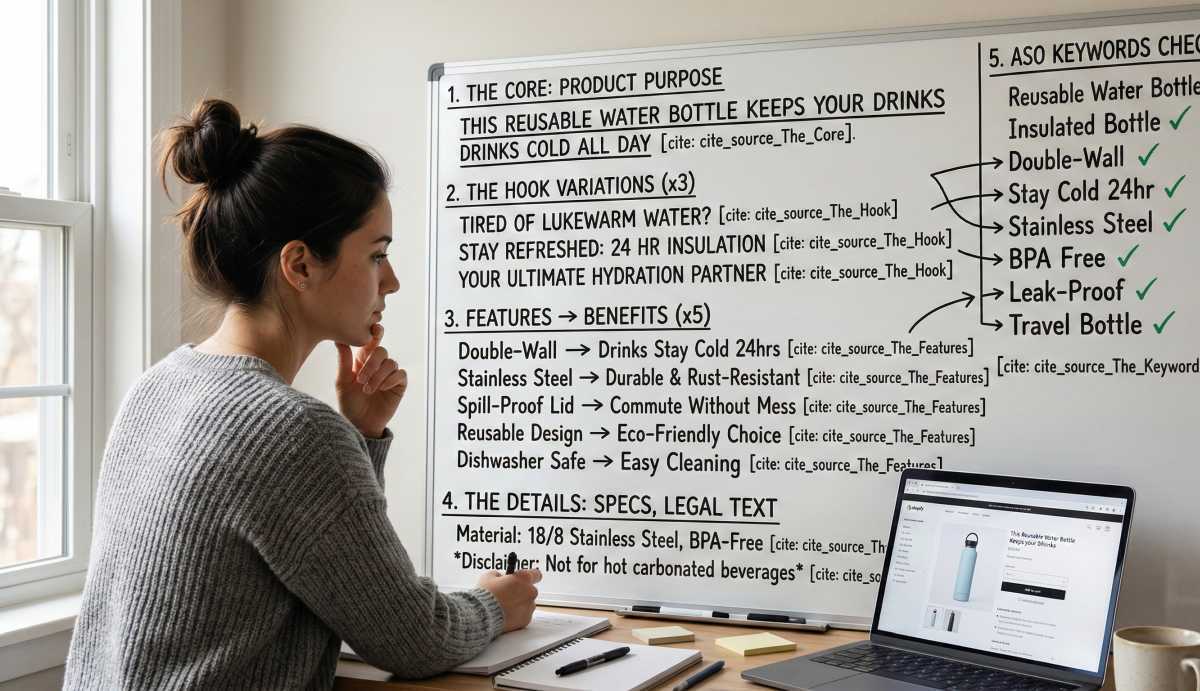
When I’m coaching a team on how to make this happen, I suggest a very specific rough order. Don't try to be perfect on the first go.
- The Core: Write one sentence that explains what the product does for the user.
- The Hook: Create 2-3 variations of your opening line.
- The Features: Pick 3-5 main features and translate them into benefits.
- The Details: Fill in the some notes on technical specs or required legal text at the bottom.
- The Keywords: Review the text to ensure your ASO keywords are present but natural.
It’s an iterative process. You’ll likely go through three or four drafts before it feels right. That’s normal. Even here at Kurve, we spend a significant amount of time refining the marketing copy before a big launch.
Key Metadata Comparison
|
Platform |
Google Play |
Apple App Store |
|
Short Summary |
80 chars (indexed) |
170 chars (Promo Text - not indexed) |
|
Long Summary |
4,000 chars (indexed) |
4,000 chars |
|
Indexing Logic |
SEO-style semantic crawl |
Keyword field historically increasingly SEO-style semantic crawl |
|
Media Priority |
High |
Extremely High |
|
Update Rules |
Instant |
Review period needed |
How to Write an App Description
To wrap this up, remember that you aren't just writing words; you are building a bridge. You want to learn what your users want and give it to them in the simplest way possible.
If your app is currently struggling to get downloads, don't just throw more money at ads. Look at your page. Is it inviting? Is it clear? Does it tell the user exactly why they should care?
Writing an app description is a skill that takes time to master. It’s a mix of empathy for the user and a bit of technical knowledge about how the stores work. If you can balance those two, you’ll see the results in your numbers.
FAQ
How to write a good app description?
A good description starts with a hook that addresses a specific user pain point. Use a list to highlight benefits over features, and ensure you include keywords naturally to help with SEO for apps. Always end with a call to action telling the person to download.
How do you describe an app?
Describe it through the lens of the problem it solves. Don't get bogged down in the app development process. Instead, focus on the user's experience. Use simple, clear language that avoids industry buzzwords.
How long should an app description be?
You have 4,000 characters, but you don't always need to use them. Most apps find that 2,000 to 2,500 characters are enough to convey the value without boring the reader. The most important info must be at the very top.
How to write a brief for an app?
A brief should outline the target audience, the core problem being solved, and the key keywords you want to target. It serves as the roadmap for your mobile app marketing strategy and ensures everyone is on the same page.
It’s quite a lot to take in, but getting these fundamentals right makes everything else in your growth plan much easier. Would you like me to take a look at your current listing and see if we can sharpen that opening hook?